How to add a new station to an existing route or schedule
How to add a new station to an existing route/ schedule
Once you have added a new station under Operations > Stations
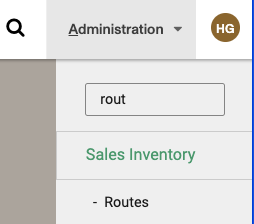
- Go to Admin > Sales inventory > Routes
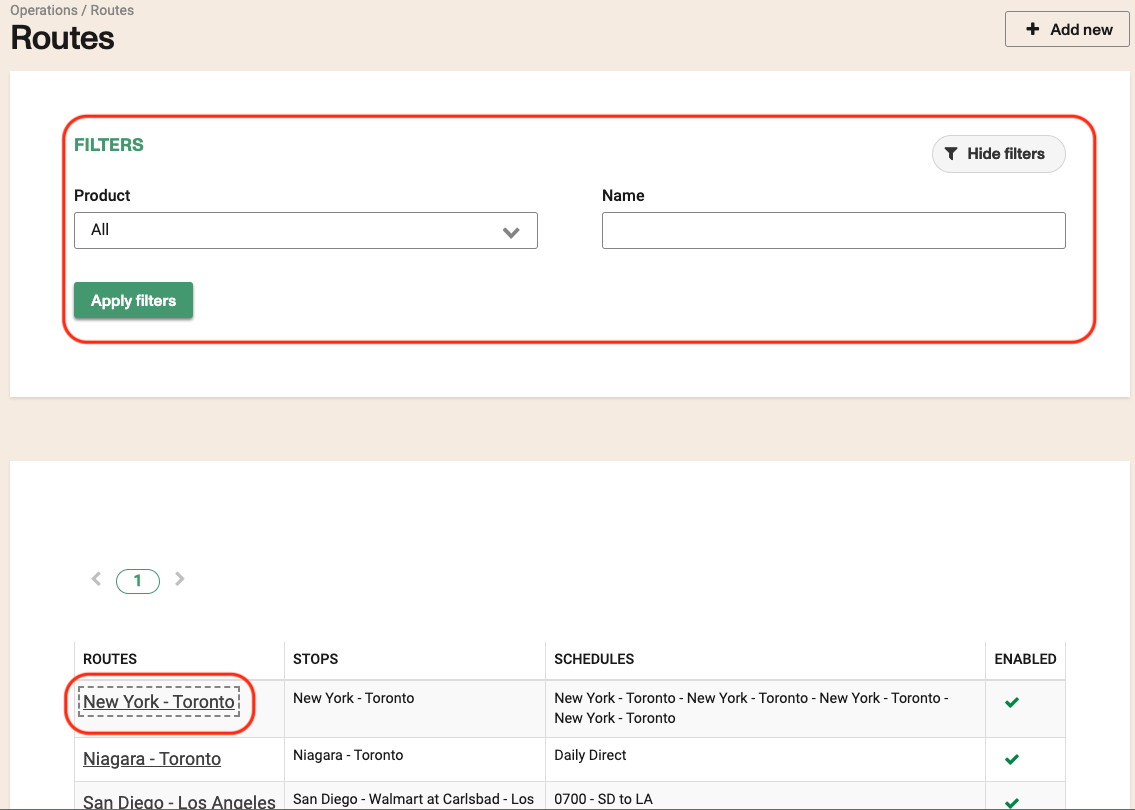
- Select (click) the target route to open it. You can either scroll down to find the route or you can use the filter feature.
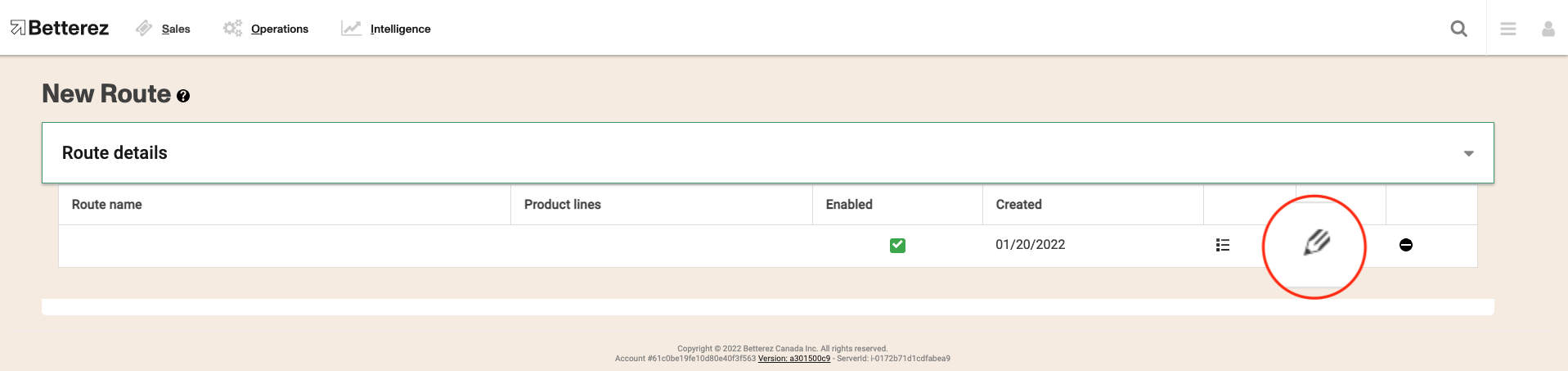
- Click the pencil (edit) button under Route details section to change the stops in the route
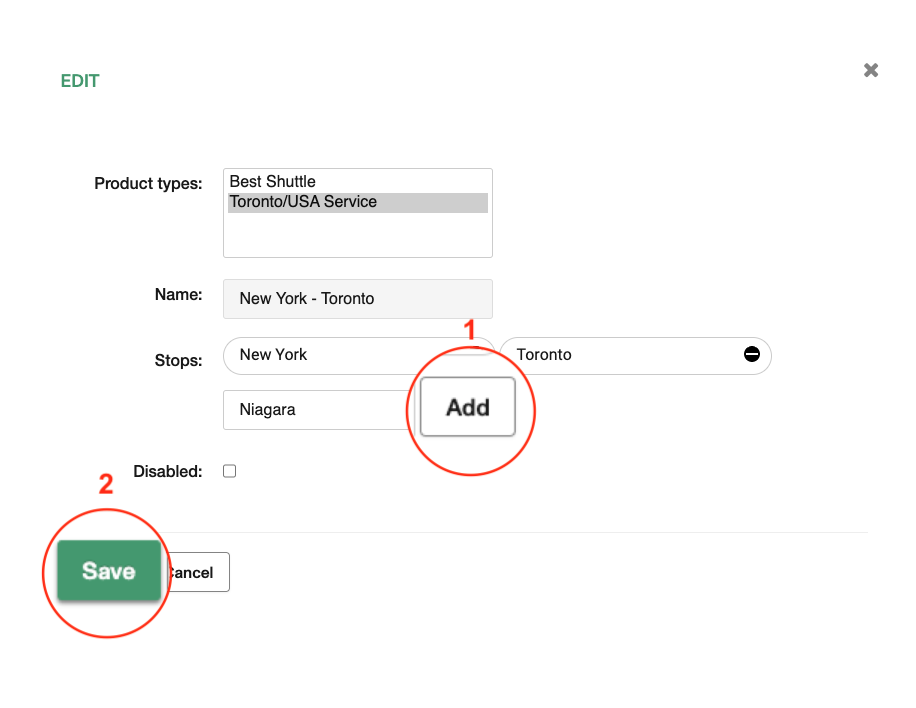
- Add the new stop here and SAVE.
You can now update the schedule with new stop.
Follow the link for our documentation on schedules;