Page summary
Integrations: Auth with applications
1 - Navigate to Applications
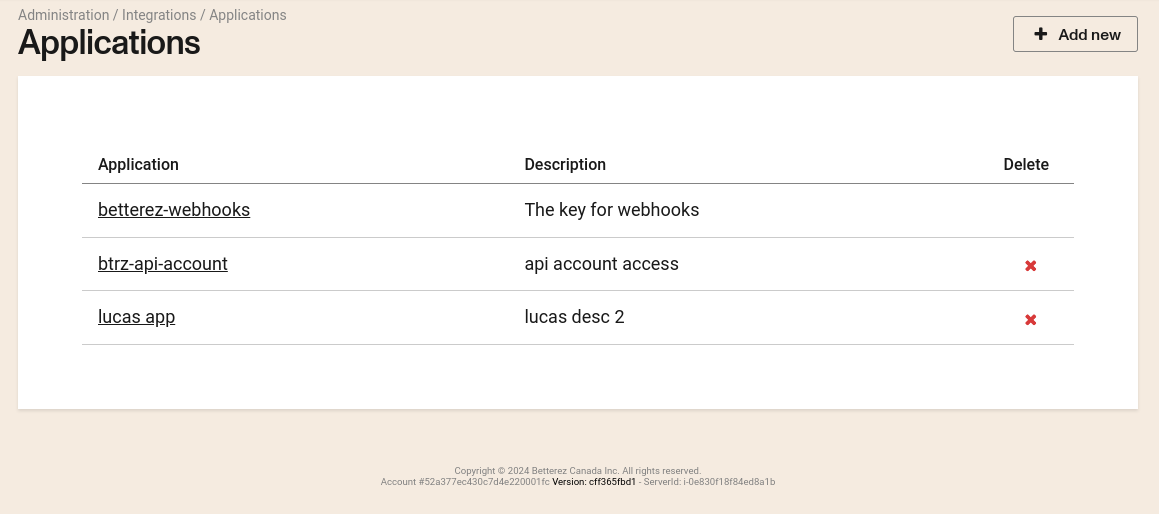
To list existing applications, or create a new one, go to Administration -> Integrations -> Applications.
2 - Create a New Application
Click +Add New if you need to create an application.
Application fields in the detail page
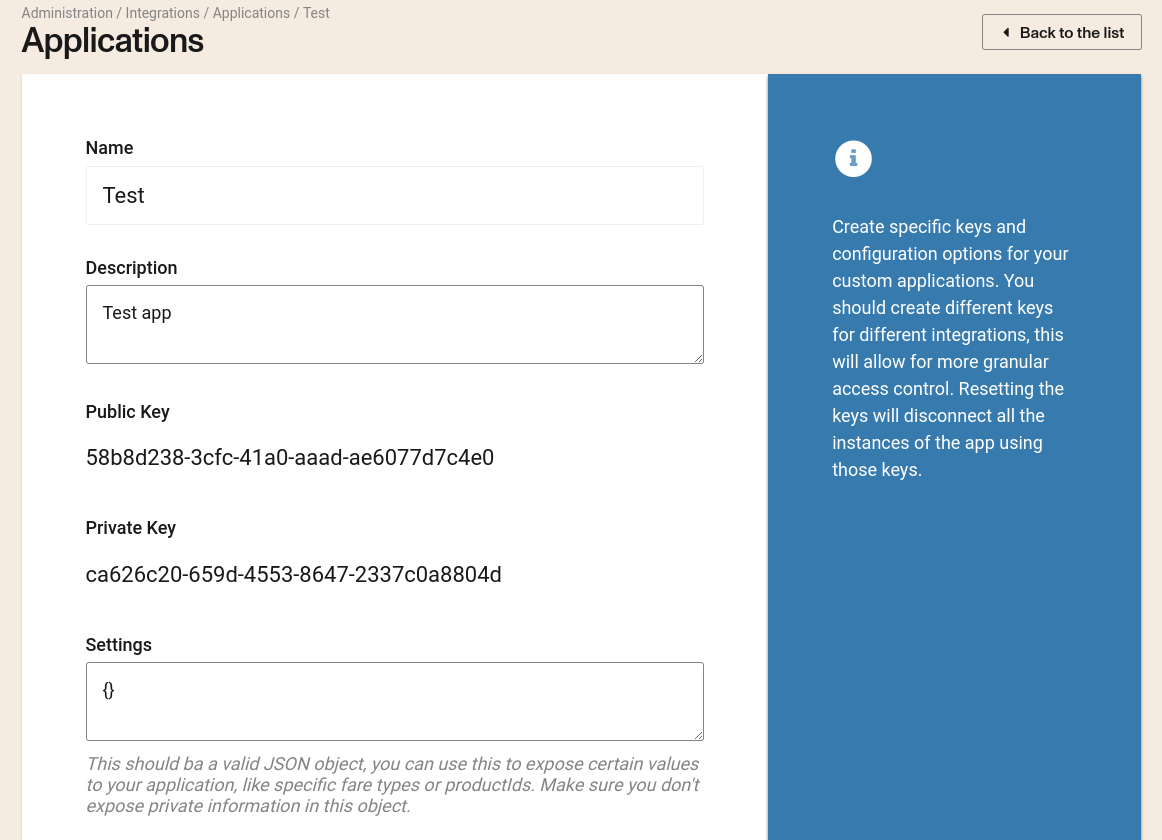
When opening an existing application at Admin -> Integrations -> Applications -> {applicationId}, the detail page includes the application configuration fields:
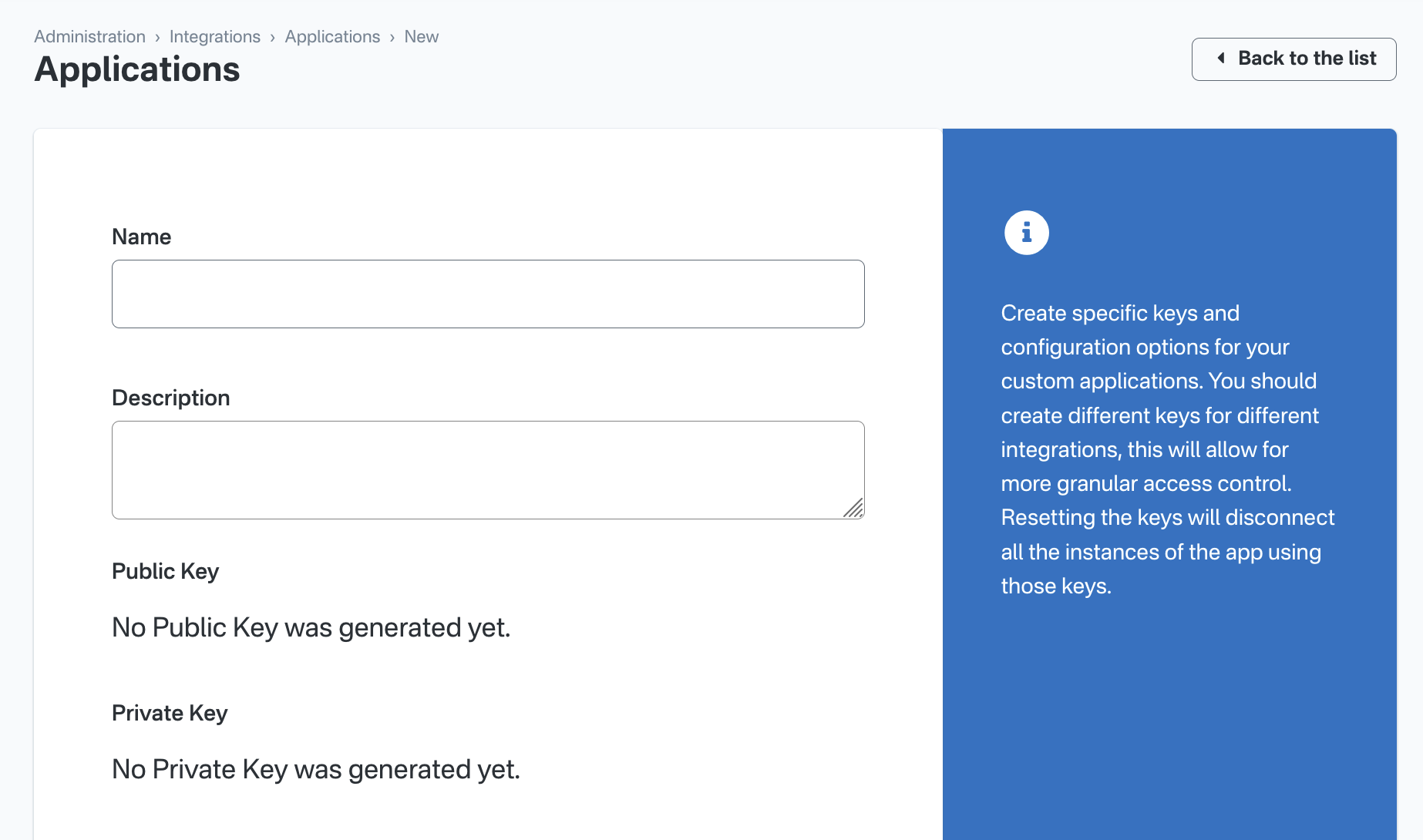
- Name: Name to identify the application.
- Description: Describe the objective of the application.
- Public key: Your Public Key is autogenerated.
- Private key: Your Private Key is autogenerated.
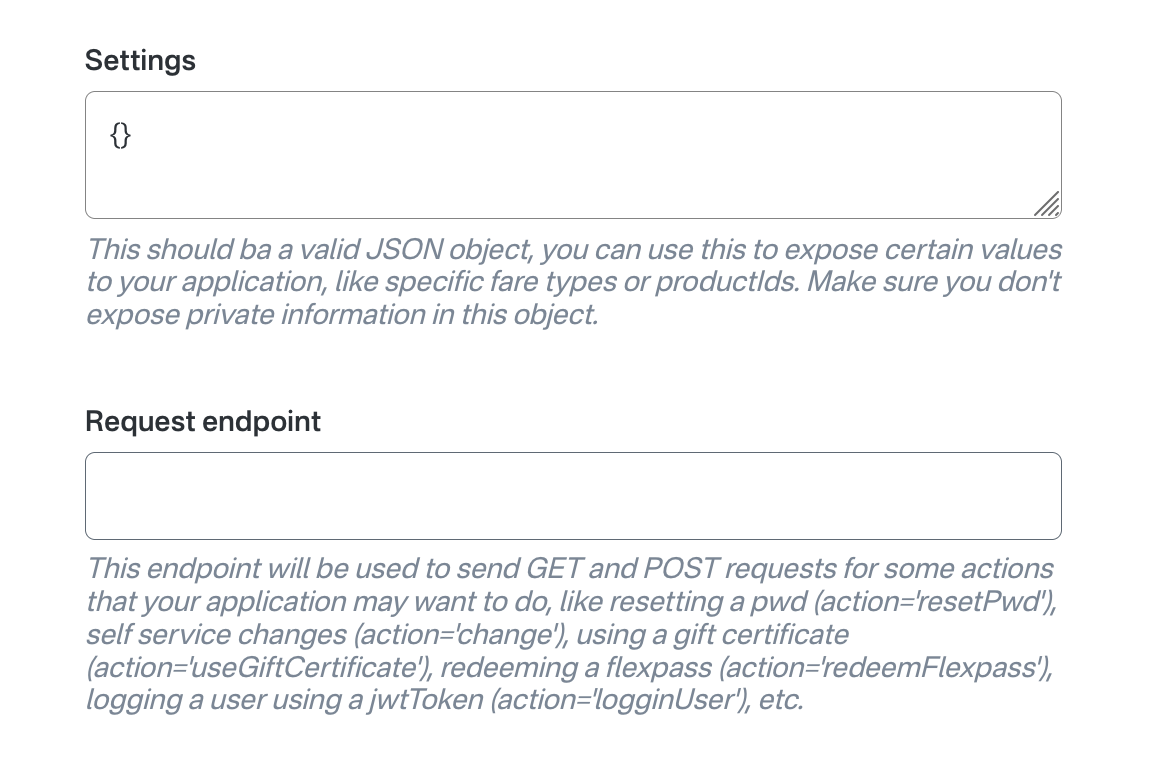
- Settings (JSON): Optional JSON object with integration-specific configuration. The value must be valid JSON.
- Request endpoint: Optional HTTPS URL used by some integrations for callbacks/requests.
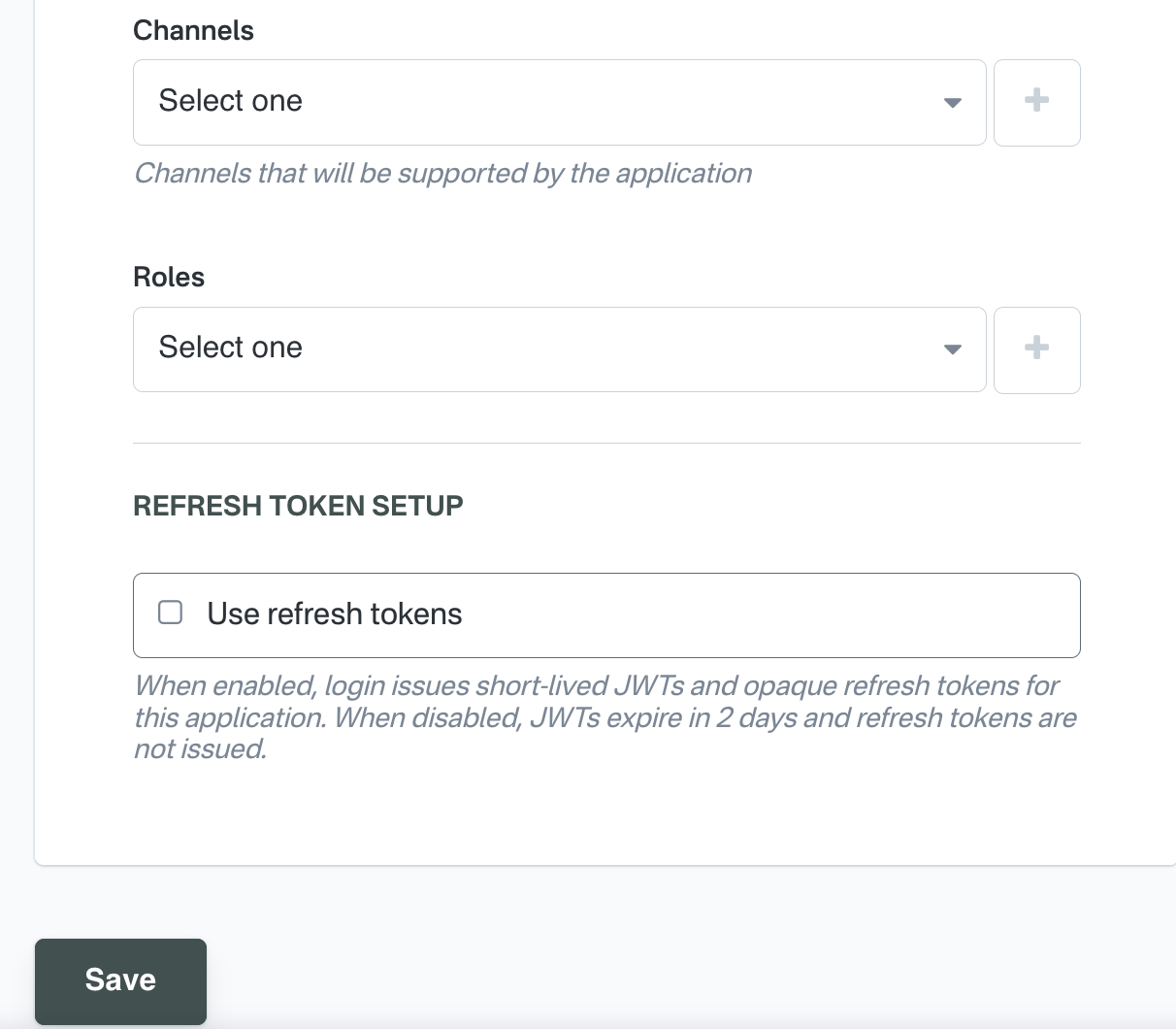
- Channels: Allowed backoffice channels for this application (for example
backofficeandagency-backoffice). - Roles: Backoffice roles that can use this application in user sign-on and related flows.
- Enable user sign on: If enabled, the application can be used in user sign-on flows (subject to role filters and permissions).
- Refresh token setup: If disabled we will generate a token that will expire in two days. If enabled you will be be able to set the duration of your JW Token and your refresh Token.
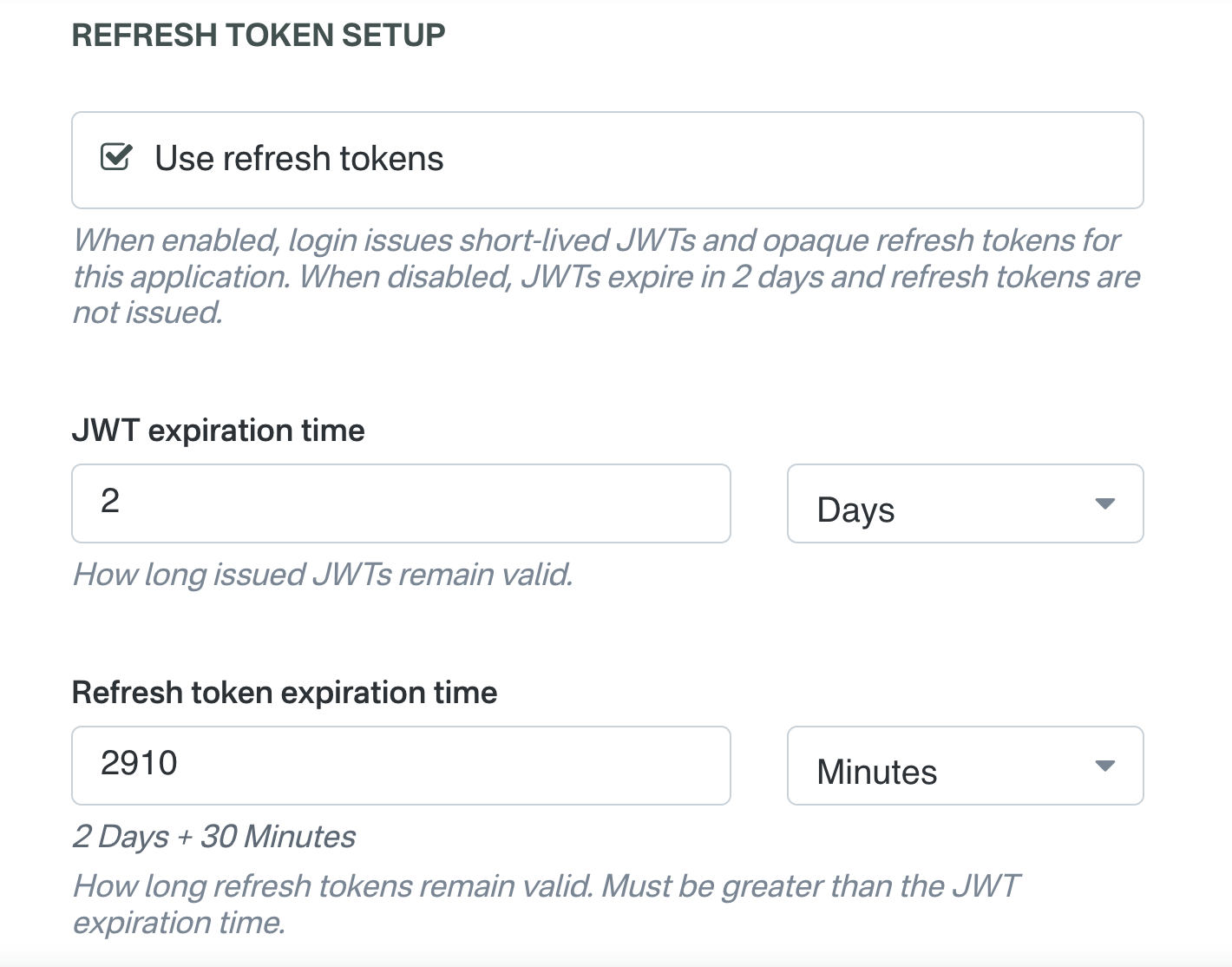
Some fields are conditionally visible. For example, Enable user sign on may not appear depending on account permissions and feature configuration.
Notes:
- Only non-internal applications are editable.
- Regenerating keys updates both public and private keys and requires updating your integration secrets.
3 - Using your application
1 - Get application keys
Open the application and copy:
- Public key
- Private key
Example values:
- Public key:
58b8d238-3cfc-41a0-aaad-ae6077d7c4e0 - Private key:
ca626c20-659d-4553-8647-2337c0a8804d
2 - Concatenate public key + private key
Concatenate the keys into a single string (no separator).
const publicKey = "58b8d238-3cfc-41a0-aaad-ae6077d7c4e0";
const privateKey = "ca626c20-659d-4553-8647-2337c0a8804d";
const keysString = publicKey + privateKey;
Result:
keysString = "58b8d238-3cfc-41a0-aaad-ae6077d7c4e0ca626c20-659d-4553-8647-2337c0a8804d"
3 - Hash the concatenated string (SHA-256)
Hash keysString using SHA-256.
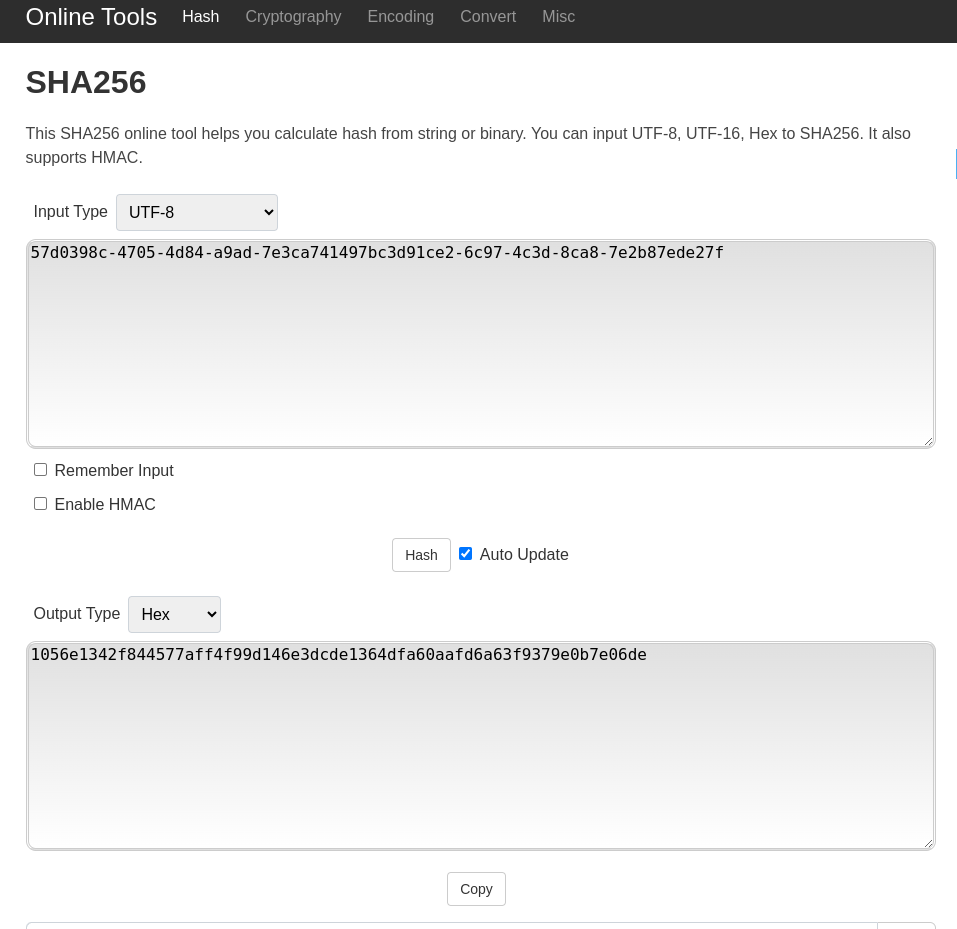
Example result:
sha256KeysString = "1056e1342f844577aff4f99d146e3dcde1364dfa60aafd6a63f9379e0b7e06de"
4 - Concatenate app name + ":" + hash
Append the application name to the hash:
appName + ":" + sha256KeysString
Example:
Test:1056e1342f844577aff4f99d146e3dcde1364dfa60aafd6a63f9379e0b7e06de
5 - Base64 encode the string
Encode the full value with Base64:
echo -n "Test:1056e1342f844577aff4f99d146e3dcde1364dfa60aafd6a63f9379e0b7e06de" | base64

The result in this case is something like this:
cGFnb2V4cHJlc3M6MTA1NmUxMzQyZjg0NDU3N2FmZjRmOTlkMTQ2ZTNkY2RlMTM2NGRmYTYwYWFmZDZhNjNmOTM3OWUwYjdlMDZkZQ==
6 - Request application token
Use POST /accounts/applications to authenticate the application.
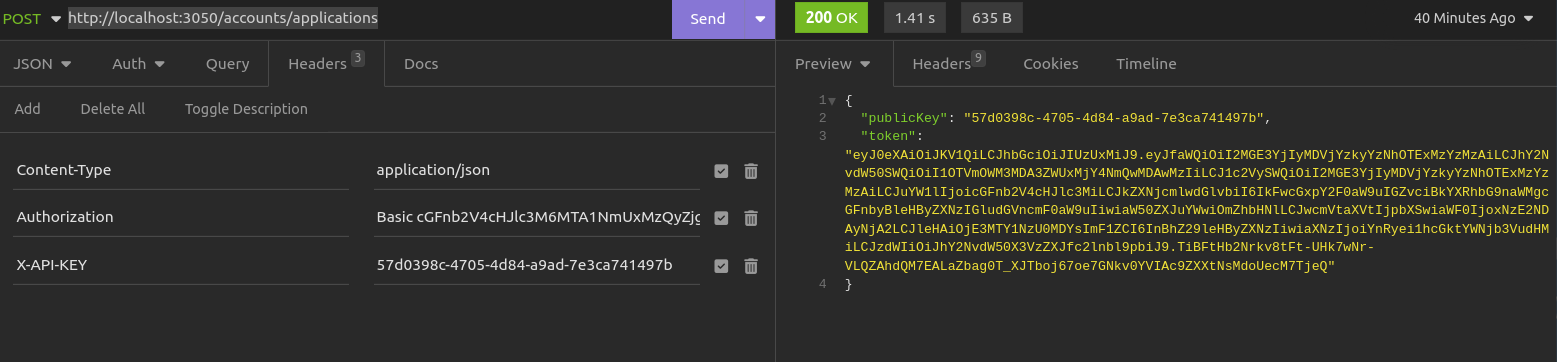
Set headers like this:
"Authorization": "Basic cGFnb2V4cHJlc3M6MTA1NmUxMzQyZjg0NDU3N2FmZjRmOTlkMTQ2ZTNkY2RlMTM2NGRmYTYwYWFmZDZhNjNmOTM3OWUwYjdlMDZkZQ=="
"X-API-KEY": "58b8d238-3cfc-41a0-aaad-ae6077d7c4e0"
"Content-Type": "application/json"
The response will contain the publicKey and the token that will be used to authenticate the application.
{
  "publicKey": "57d0398c-4705-4d84-a9ad-7e3ca741497b",
  "token": "eyJ0eXAiOiJKV1QiLCJhbGciOiJIUzUxMiJ9.eyJfaWQiOiI2MGE3YjIyMDVjYzkyYzNhOTExMzYzMzAiLCJhY2NvdW50SWQiOiI1OTVmOWM3MDA3ZWUxMjY4NmQwMDAwMzIiLCJ1c2VySWQiOiI2MGE3YjIyMDVjYzkyYzNhOTExMzYzMzAiLCJuYW1lIjoicGFnb2V4cHJlc3MiLCJkZXNjcmlwdGlvbiI6IkFwcGxpY2F0aW9uIGZvciBkYXRhbG9naWMgcGFnbyBleHByZXNzIGludGVncmF0aW9uIiwiaW50ZXJuYWwiOmZhbHNlLCJwcmVtaXVtIjpbXSwiaWF0IjoxNzE2NDAyNjA2LCJleHAiOjE3MTY1NzU0MDYsImF1ZCI6InBhZ29leHByZXNzIiwiaXNzIjoiYnRyei1hcGktYWNjb3VudHMiLCJzdWIiOiJhY2NvdW50X3VzZXJfc2lnbl9pbiJ9.TiBFtHb2Nrkv8tFt-UHk7wNr-VLQZAhdQM7EALaZbag0T_XJTboj67oe7GNkv0YVIAc9ZXXtNsMdoUecM7TjeQ"
}
7 - Use token in subsequent API calls
Use the returned token and public key in endpoints that require application authorization:
"Authorization": "Bearer eyJ0eXAiOiJKV1QiLCJhbGciOiJIUzUxMiJ9.eyJfaWQiOiI2MGE3YjIyMDVjYzkyYzNhOTExMzYzMzAiLCJhY2NvdW50SWQiOiI1OTVmOWM3MDA3ZWUxMjY4NmQwMDAwMzIiLCJ1c2VySWQiOiI2MGE3YjIyMDVjYzkyYzNhOTExMzYzMzAiLCJuYW1lIjoicGFnb2V4cHJlc3MiLCJkZXNjcmlwdGlvbiI6IkFwcGxpY2F0aW9uIGZvciBkYXRhbG9naWMgcGFnbyBleHByZXNzIGludGVncmF0aW9uIiwiaW50ZXJuYWwiOmZhbHNlLCJwcmVtaXVtIjpbXSwiaWF0IjoxNzE2NDAyNjA2LCJleHAiOjE3MTY1NzU0MDYsImF1ZCI6InBhZ29leHByZXNzIiwiaXNzIjoiYnRyei1hcGktYWNjb3VudHMiLCJzdWIiOiJhY2NvdW50X3VzZXJfc2lnbl9pbiJ9.TiBFtHb2Nrkv8tFt-UHk7wNr-VLQZAhdQM7EALaZbag0T_XJTboj67oe7GNkv0YVIAc9ZXXtNsMdoUecM7TjeQ"
"X-API-KEY": "57d0398c-4705-4d84-a9ad-7e3ca741497b"